Hadria: A Unique Google Slide Template for Modern Presentations
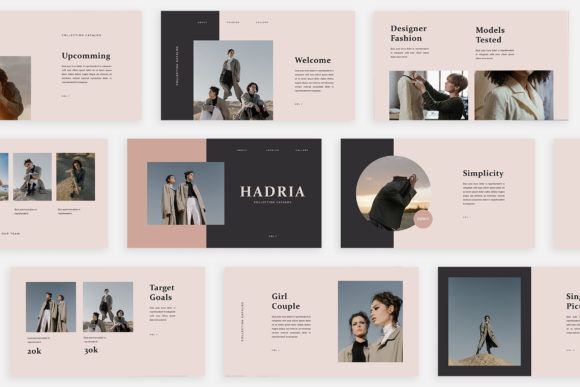
Imagine opening a presentation file and finding that every single slide feels like a fresh, thoughtfully designed page from a high-end magazine, not just a rearrangement of the same old boxes. That’s the immediate impression the Hadria - Google Slide Template makes. It moves beyond predictable, repetitive layouts to offer a truly unique visual journey for your content, making it an excellent choice for anyone in digital media, marketing, or business communication who needs to make a lasting impact.
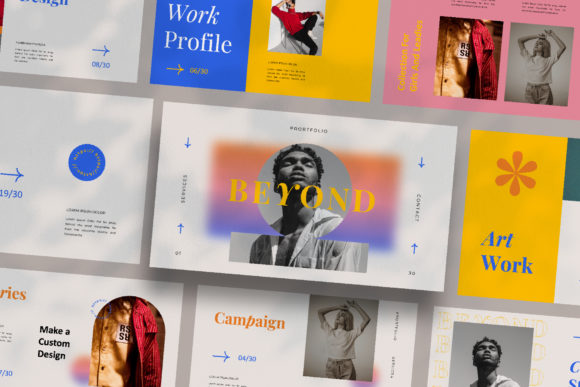
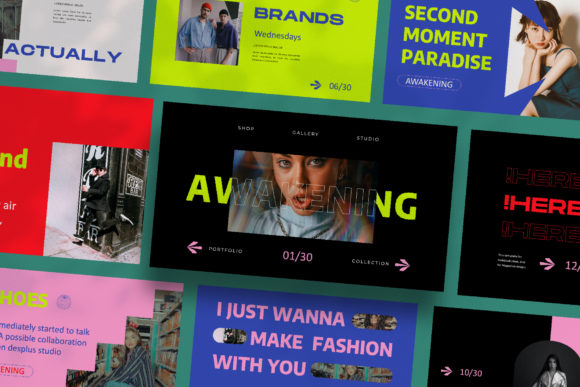
The core appeal of Hadria lies in its commitment to uniqueness. Each of its 30 slides is crafted with a distinct layout, providing a rich variety of structures for text, images, and data. This approach prevents visual monotony and keeps your audience engaged from the first slide to the last. Whether you're pitching a new client, presenting quarterly results to partners, or showcasing a personal project, the template's "lookbook and magazine style" aesthetic instantly elevates the professionalism of your material. It’s designed to make your content look polished and contemporary without requiring advanced design skills.
Practical Design Meets Creative Flexibility
For designers and creators, a template like Hadria functions as a powerful design asset. Its structure is built using the Slide Master feature in Google Slides, which means you can simply drag and drop your own images into placeholder frames and adjust text with ease. This is a huge time-saver compared to building a presentation from scratch. The template comes in the widely compatible PPTX file format and offers a high-resolution 1920×1080 pixel canvas, ensuring your slides look crisp and professional on any screen.
One of its most convenient features is the automatic color change. You can quickly apply your brand’s unique color theme across the entire presentation, ensuring visual consistency with your existing brand identity. This adaptability makes Hadria suitable for a wide array of applications:
- Business Pitches & Client Proposals: Create a compelling narrative that reflects the quality and thoughtfulness of your work.
- Marketing Campaigns & Social Media Strategy: Present your campaign visuals and plans in a layout that feels as creative as the campaign itself.
- Editorial & Lookbook Presentations: Perfect for photographers, stylists, or brands showcasing collections with a clean, magazine-inspired flow.
- Portfolio Reviews & Project Showcases: Let your work shine in a variety of engaging formats that hold attention.
Tips for Selecting and Using a Premium Template
When choosing a template like Hadria, consider how its design language aligns with your project's mood. Its modern, clean aesthetic is ideal for contemporary brands, startups, and creative agencies. Before finalizing your presentation, always test your content within the layouts. Check that your text remains readable at a glance and that your key images are given the right amount of space to breathe.
Think about font pairing as well. While Hadria provides a free font, you might want to pair it with a complementary typeface from your own brand kit for headings or quotes. The goal is to achieve a harmonious look that reinforces your message. Remember, the most effective presentations use a limited and intentional color palette, consistent imagery style, and clear hierarchy—something a well-structured template helps you achieve effortlessly.
Ultimately, a resource like the Hadria - Google Slide Template is more than just a set of slides; it's a framework for better storytelling. It provides the creative structure and professional polish needed to present your ideas, your brand, or your business with confidence and clarity, ensuring your audience sees not just what you have to say, but the care and quality behind it.